AnonPaste v4.0
AnonPaste v4 is the largest update we have made to AnonPaste. The platform has been redesigned from end to end, with a new way to build pastes, more control over privacy and presentation, a complete account and paste-management experience, and new tools for everyone from occasional anonymous users to developers.
The goal is still the same: make it quick to share text, code, images, videos, and files without requiring an account, while giving people who need more control the tools to get it.
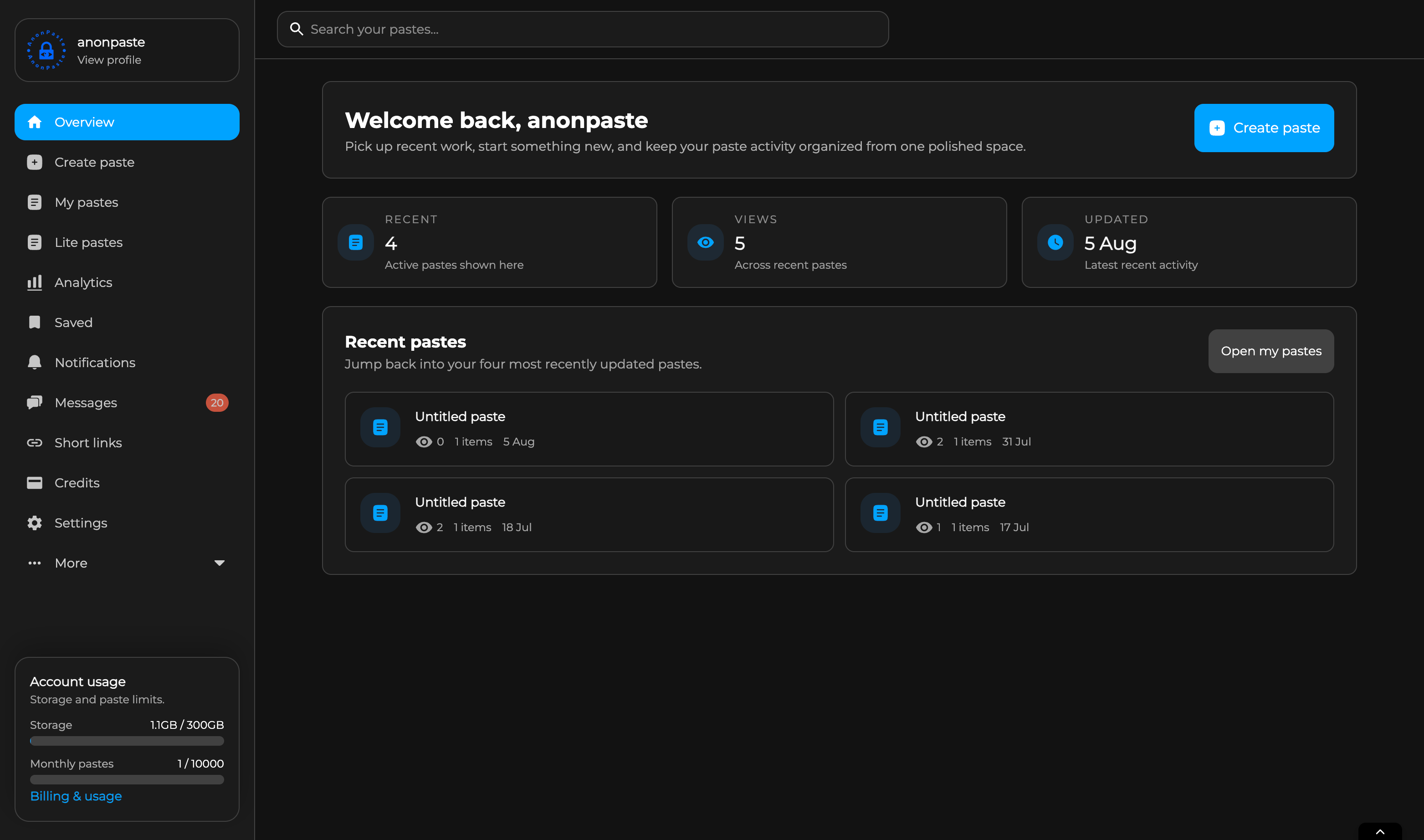
A complete interface overhaul
The creator, paste viewer, navigation, account pages, dashboards, settings, and management tools have all been rebuilt or substantially redesigned. The result is a cleaner and more consistent AnonPaste that works better across desktop and mobile without losing the speed of opening the site and immediately creating something.
Creating a quick paste is still quick. The difference is that v4 can now grow with what you are making, whether that is a small code snippet, a private document, a file drop, an interactive poll, or a carefully presented collection of content.
The new block-based paste creator
Pastes are no longer limited to one large text area followed by a list of attachments. The new creator is block based: add the content you need, arrange it in the order you want, and move blocks whenever the structure changes.
Available blocks include:
- Text
- Files
- Embeds
- Polls
- Section headings
- Customisable dividers
- Interactive image tier lists
Text, files, embeds, headings, and other blocks can sit together in one ordered paste. This gives long-form pastes a clear structure and gives mixed-media pastes a presentation that makes sense, instead of forcing every file or piece of text into the same place.
Tier lists add a completely new kind of interactive paste. Creators can build image-ranking boards, let viewers submit their own rankings, see community results, and optionally accept viewer image suggestions for approval.
Text editors for every kind of paste
Every text block can use the editor that best fits the content:
- Markdown — familiar Markdown writing with rendered formatting.
- Plain Text — a minimal editor for text that should remain exactly as entered.
- Code — a focused code editor with expanded syntax highlighting and automatic language detection.
Code highlighting now covers more of the languages and formats people regularly paste, including JavaScript, TypeScript, Python, Java, C#, C++, C, Go, PHP, Ruby, Rust, Swift, Kotlin, HTML, CSS, JSON, YAML, SQL, and Bash, with a general code mode for everything else.
AI autocomplete is available inside supported text editors for Pro users, alongside AI summaries for readers. It is designed to help continue a thought, draft text, or speed up repetitive writing while leaving the creator in control.
Experimental Block Editor
The new node-based Block Editor is also available in beta for rich, structured content. It is still experimental, so its behaviour and supported formatting may change as we continue improving it.
More control over how a paste looks and behaves
V4 adds much more control without making every option mandatory. Creators can use section headings and dividers to shape the page, choose what appears in the viewer bar, control whether the author and dates are shown, decide whether likes or dislikes are available, and disable comments or downloads when they do not suit the paste.
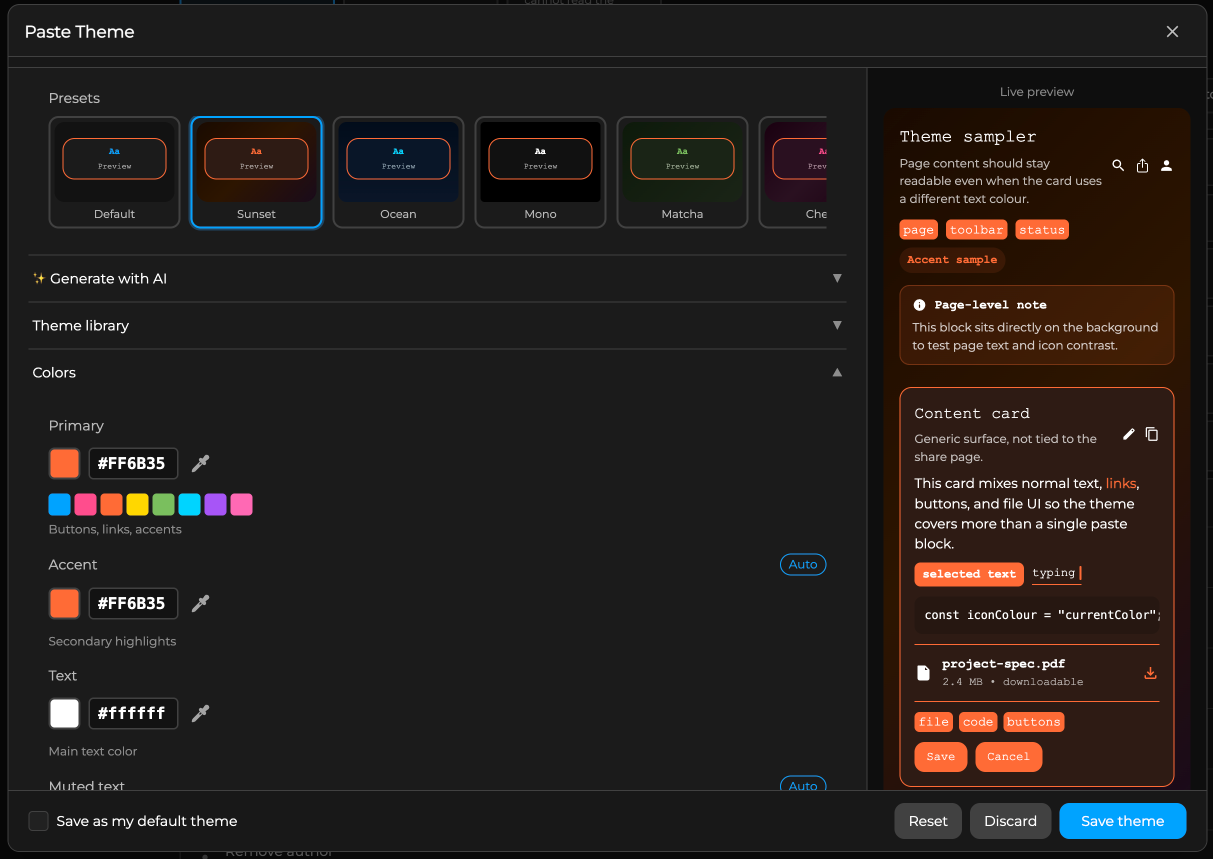
Themes have also grown into a complete presentation system. Pastes can use custom colours, gradients, image backgrounds, typography, decorations, effects, and watermarks. Themes can be saved and reused, shared through the theme library, or created with AI assistance. A live preview makes it easier to see the result before publishing.
Files now have improved previews and layout options, plus creator-controlled processing choices ranging from full previews and video encoding to small thumbnails or no additional processing. Individual text and file blocks can also have their own access controls, including passwords, for pastes that need different levels of access within one page.
Private statistics, only when you choose
Some people need to know whether a paste has been opened; others do not want view logging at all. V4 supports both use cases.
Statistics are disabled by default, and no view statistics are recorded unless the creator turns them on for that paste.
- Free, Supporter, Pro, and Max users can enable basic private statistics to see daily view totals without collecting detailed visitor information.
- Pro and Max users can enable full private analytics with views, referrers, countries, and device information.
Analytics data is kept for a limited period and can be purged from paste settings at any time. These controls make AnonPaste flexible enough for private one-to-one sharing, public publishing, technical diagnostics, and other use cases with very different expectations.
Your anonymous identity is now in your control
Anonymous use has always been central to AnonPaste. V4 adds a dedicated /anon-settings page for managing the Anon ID used by your browser.
An Anon ID is not an account or a public profile. It is the private browser identity that lets AnonPaste recognise you as the same anonymous creator or commenter, preserve anonymous ownership where needed, and show a consistent short anonymous author label.
You can now:
- Download a backup of your Anon ID.
- Recover it on another device or after clearing browser data.
- Rotate to a fresh anonymous identity.
- Hide your country flag from public content.
Country flags were introduced as broad context for anonymous pastes and comments. They add some transparency to an otherwise anonymous author label, but we understand that not everyone is comfortable showing their country of origin. The new setting lets you hide it without needing to create an account.
Ad-free by default
AnonPaste is now ad-free by default for everyone. Every creator can choose whether ads appear on each of their own pastes, so advertising is always opt-in and under the creator’s control. Supporter, Pro, and Max remain fully ad-free for creators and viewers.
This keeps the free platform clean and useful while still giving people a way to support the service without starting a subscription.
New plans, clearer limits, and grandfathered Pro pricing
V4 introduces two additional membership options:
- Supporter is for people who want higher limits, fewer interruptions, and a way to help fund AnonPaste without needing every advanced Pro feature.
- Max is for unusually heavy use and the highest storage, creation, and Developer API allowances.
Pro now costs $14.99 USD per month or $149 USD per year for new memberships. This reflects how much Pro has grown, including larger limits, AI creation tools, custom themes, full analytics, and Developer API access.
Existing Pro members have been grandfathered in permanently. If you had Pro before the price change, you keep your old price for as long as that membership remains active.
Optional storage add-ons are also available for people who need substantially more room, scaling up to 10 TB without requiring a different workflow.
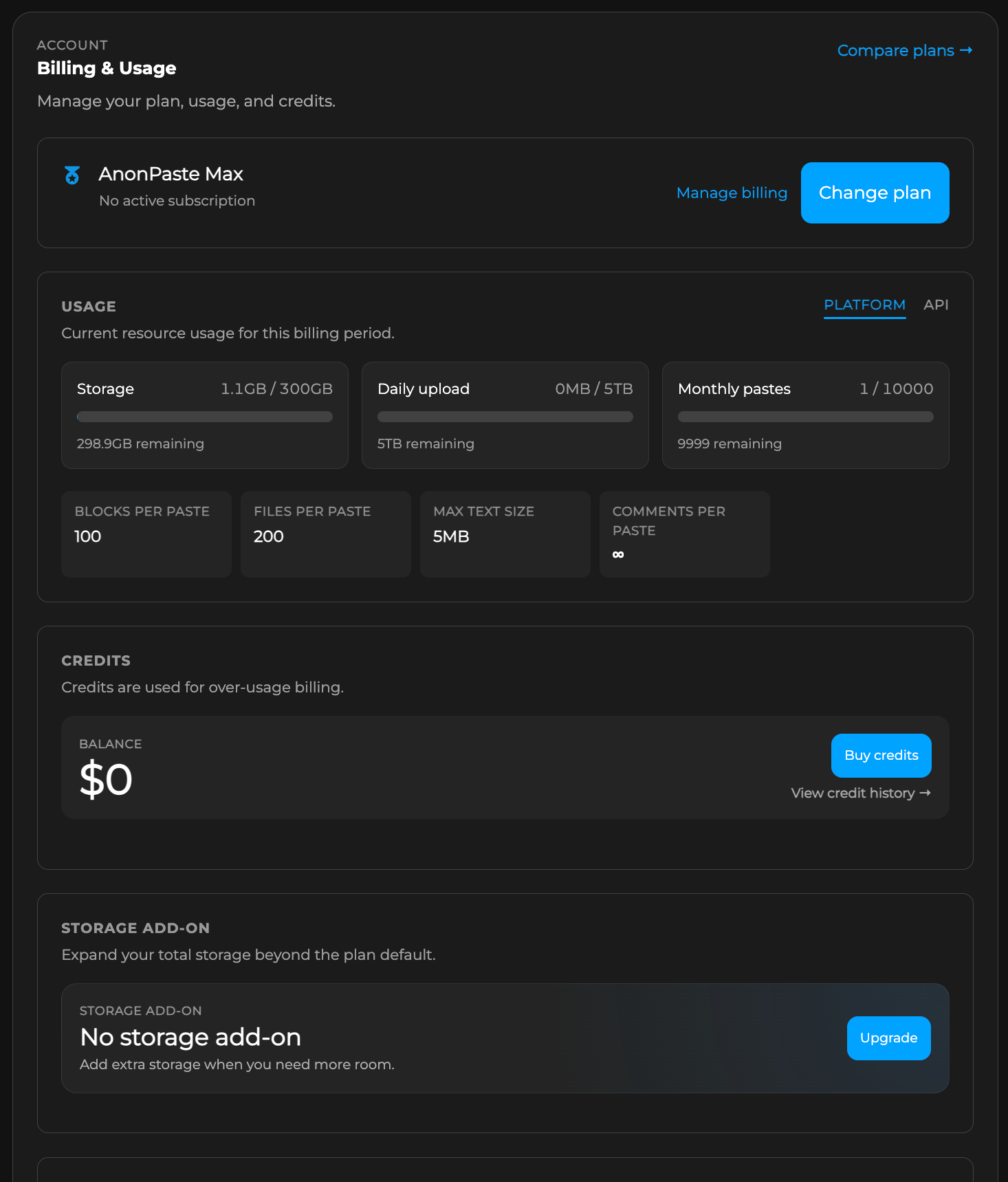
We have replaced unlimited usage claims with clear, fair, and generous limits. These limits protect the service from automated abuse and keep AnonPaste reliable for everyone. The new Billing & Usage dashboard shows what your plan includes and how much you have used, so there should be no guesswork.
A Developer API and official SDK
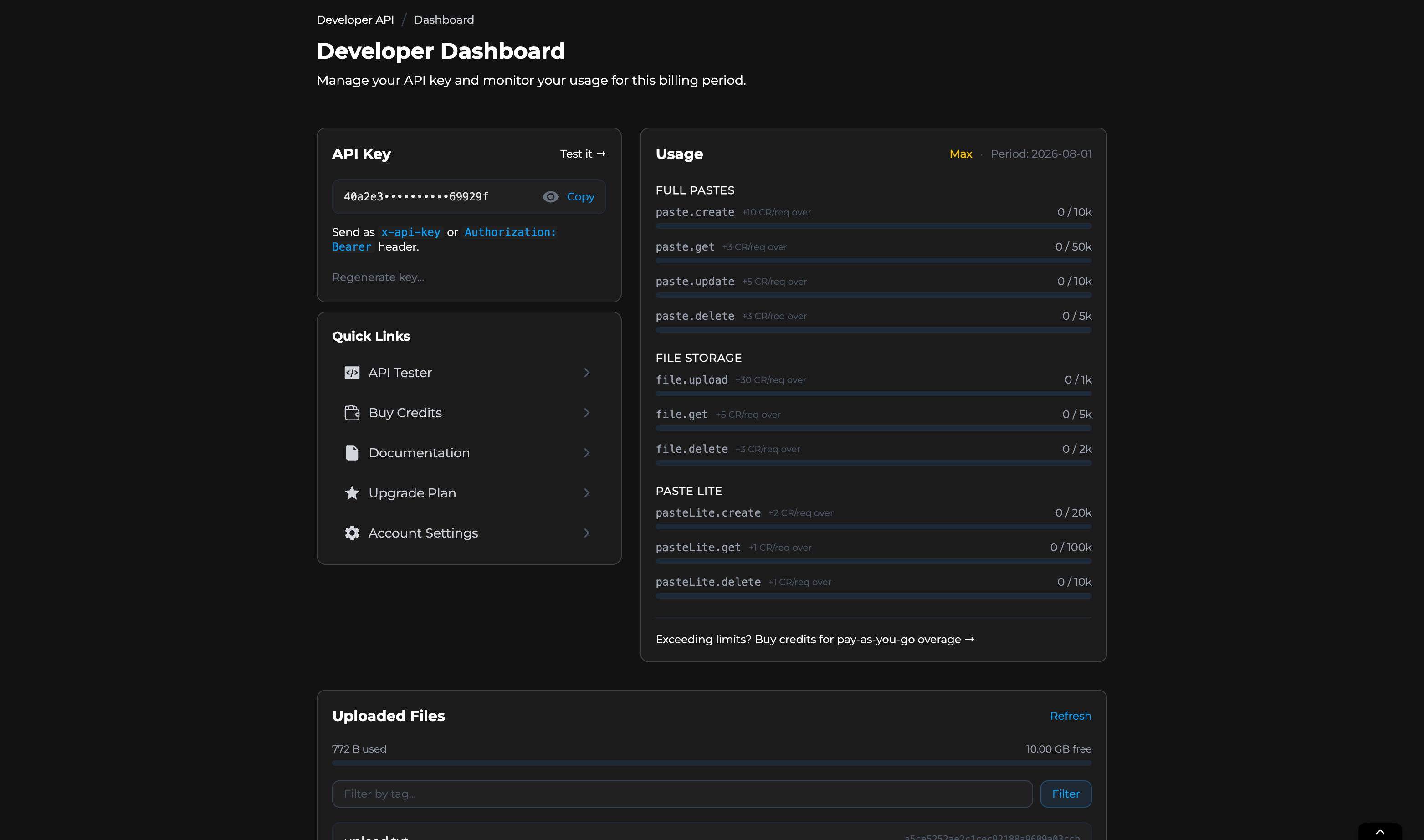
AnonPaste can now be used from applications, scripts, bots, backup tools, and automated workflows through the new Developer API.
Developers can create and manage API keys, inspect usage, test requests from the Developer Dashboard, and use either standard HTTP requests or the official JavaScript and TypeScript SDK. Free accounts can use the lightweight PasteLite API, while Pro and Max add full paste creation and management plus file storage.
The Developer API supports programmatic pastes, encrypted content, expiring data, burn-after-read workflows, and file sharing. Full documentation and examples are available through the AnonPaste help site.
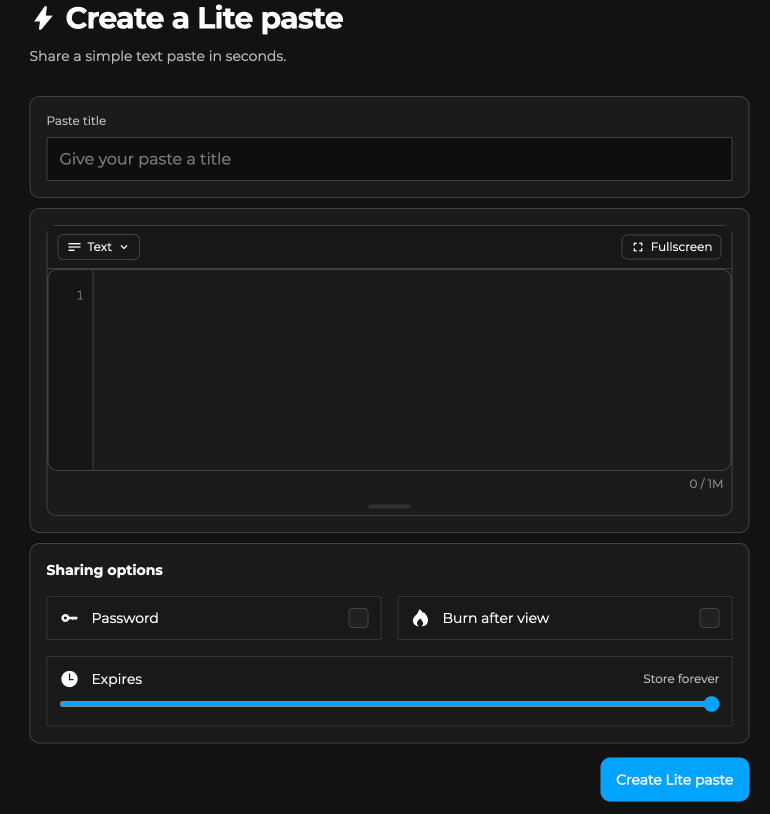
Lite pastes are now part of the core platform
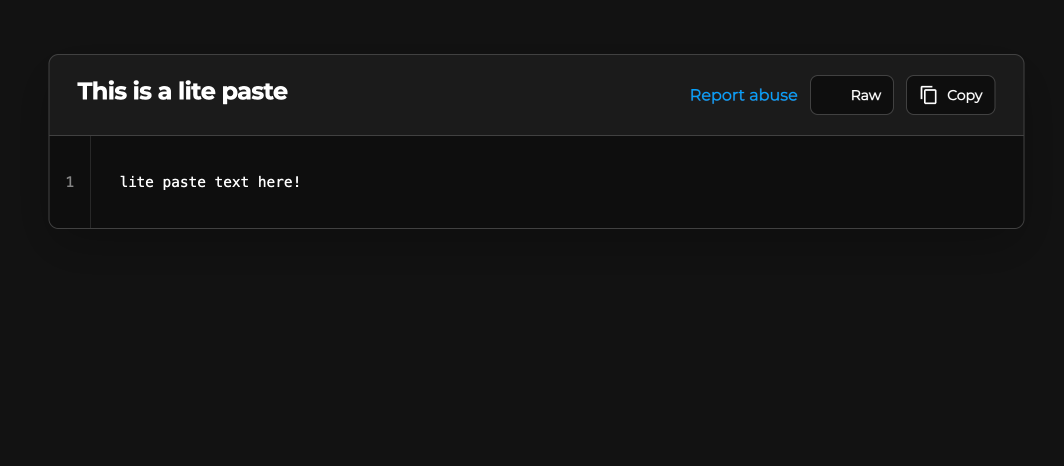
Lite pastes are for the moments when the full AnonPaste feature set would only get in the way. They are fast, focused, text-only pastes for Markdown, code, or plain text, with minimal presentation and no comments or other social features.
They are a good fit for snippets, logs, temporary notes, configuration, and private text that needs a link quickly. Lite pastes support the privacy controls expected from AnonPaste while keeping the creation and viewing experience deliberately small.
Lite is now a first-class part of the main AnonPaste platform and account dashboard. anonpaste.io remains active for people who already use it.
A new account and paste-management experience
Account management has been rebuilt around one dashboard. Profile details, security, subscriptions, billing, invoices, storage add-ons, credits, and current usage are easier to find and manage.
Paste management has received the same treatment. Creators can edit the new block structure, manage files and access settings, review comments, rotate private management links, archive or delete pastes, and see basic or full statistics depending on the options they enabled.
Saved pastes and collections make it easier to organise content you want to return to, while improved search and filtering make larger libraries more manageable.
More useful tools across AnonPaste
V4 also brings together a long list of additions made across the platform:
- Improved comments with proper reply threads, Markdown, GIFs, images, video, audio attachments, and voice notes.
- Short links with click analytics, direct or confirmation-page redirects, CAPTCHA and age gates, plus advanced routing rules for Pro and Max.
- AnonTransfer, a direct browser-to-browser way to send files or text without storing the transferred content on AnonPaste.
- AnonDrop, which lets you create a controlled place for other people to send files to you anonymously.
- Saved collections for organising useful pastes.
- Improved search across public content and personal libraries.
- English, German, Spanish, and French support across the main experience.
- Better media viewing for images, audio, video, PDFs, and other files.
- Improved abuse prevention, reporting, and moderation tools to keep public and shared areas safer without exposing internal moderation systems.
Many, many bugs fixed
V4 includes many, many bug fixes across uploads, editing, encryption flows, media playback, previews, comments, account pages, billing, mobile layouts, accessibility, navigation, rendering, and performance.
The raw changelog
For readers who only want the list:
- Complete UI overhaul across the creator, viewer, navigation, dashboards, settings, and management pages.
- Added a reorderable block-based paste creator.
- Added text, file, embed, poll, section-heading, divider, and interactive tier-list blocks.
- Added an experimental node-based Block Editor in beta.
- Added Markdown, Plain Text, and Code text modes.
- Expanded syntax highlighting and added automatic language detection.
- Added AI inline autocomplete and AI-generated summaries.
- Added per-block access controls and passwords.
- Added advanced paste themes, live previews, reusable themes, theme sharing, AI theme creation, backgrounds, typography, decorations, effects, and watermarks.
- Added viewer presentation controls for statistics, reactions, author attribution, dates, comments, and downloads.
- Added creator-controlled file preview and processing options.
- Added opt-in basic private view statistics for Free, Supporter, Pro, and Max.
- Added opt-in full private analytics for Pro and Max.
- Kept all paste statistics disabled by default and added analytics purging.
- Added
/anon-settingswith Anon ID backup, recovery, rotation, and country-flag privacy controls. - Made AnonPaste ad-free by default, with voluntary per-paste ads for Free creators who want to support the platform.
- Added Supporter and Max membership tiers.
- Updated new Pro memberships to $14.99/month or $149/year.
- Permanently grandfathered existing Pro members on their previous pricing.
- Added optional storage upgrades up to 10 TB.
- Added clear, fair usage limits and a detailed usage dashboard.
- Added the AnonPaste Developer API, API key management, usage reporting, request testing, and the official JavaScript/TypeScript SDK.
- Added free Developer API access for PasteLite and Pro/Max access for full pastes and files.
- Integrated Lite pastes into the main platform and account dashboard; anonpaste.io remains active.
- Rebuilt account, billing, subscription, invoice, credit, storage, security, and usage management.
- Rebuilt paste editing and management around the v4 block format.
- Added improved threaded comments with richer media and voice-note support.
- Added short links with analytics, privacy gates, and advanced routing.
- Added AnonTransfer direct device-to-device transfers.
- Added AnonDrop anonymous file collection.
- Added saved collections and improved search and filtering.
- Expanded English, German, Spanish, and French support.
- Improved media previews, playback, file handling, and processing.
- Improved abuse prevention, reporting, and moderation.
- Fixed many, many bugs across the platform.